As an end-user, how do you ensure that the maker continues to provide timely updates?
If you are an Android user, you know how long it takes for the latest Android updates to make their way on your device. As a phone maker, it’s a lot of effort to incorporate, test and roll-out the upgrades. And on top of that deal with the support requests of users for which the upgrade affected and broke parts of their work flow. And this is a state of affairs for devices that cost you, the end user, upwards of 300/400$.
Now consider you are an end-user for the smart home. You have multiple appliances/devices in your house that are all smart. So what happens for these devices like plugs, bulbs, locks and such which are priced at sub-100 or sub-50 $ price point. If user’s don’t quickly get upgrades for their high-end smart phones, why would they for their IoT devices? Granted the software complexity for IoT devices is much lesser as compared to Android phones, but so are the margins that the makers made.
One reason for necessitating the upgrade is of course security. Newer attack vectors/vulnerabilities continue to get invented and fixes for these should be upgraded across all the deployed devices.
Another reason is maturity/enhancements. With smartdevices, it seems people are settling into the expectation that the device continues to improve over a period of time (Tesla upgrades car to park itself), since the device keeps getting Over-The-Air upgrades.
What is in it for a maker to continue to provide these upgrades?
Reputation?
Will the makers be motivated to ship faster upgrades to retain their reputation? But this hasn’t been motivation enough for Android phone makers to release faster upgrades. Even the largest of Android brands update too slow.
The makers have to spend a lot of money/effort in maintaining, testing and getting the upgrade out. With time, this cost will come down, but until then this will be a big exercise.
Ecosystem?
The ecosystem owners (Google in case of Weave, Apple in case of HomeKit) do have a strong influence on the makers participating in their ecosystem. Particularly because most ecosystems have been driven by a strong focus towards the end-user: simplicity and security. This is a great mechanism to ensure the devices are maintained well. So a big tick-mark for products supporting ecosystems. But considering there are going to be hundreds and hundreds of makers building devices for these ecosystems, how much vigil can the ecosystems keep?
Device As A Service?
What if the end-user doesn’t pay the price full of the product up-front? What if only part of it is paid up-front, and then the rest you pay over a period of time. Essentially, you purchase a service rather than a device. The maker is incentivized to fix issues or you could stop payment. It sounds interesting.
But a smart home could have multiple devices from various vendors. Keeping track of all our recurring payments across all these will be a task and a half. If there is a program that covers devices from multiple vendors and offers these devices as a service, that would be a simplified interface for the end users. It looks a bit convoluted, but could work out well for the end-user.
Others?
Any other options that solve this problem effectively?
This is the second part of Building secure connected devices. The first is available here.
In
the first part we looked at the typical attack vectors for remotely
accessing connected Wi-Fi devices in the smart home. These attacks could
let an attacker control any device half way across the globe. In this
part, we will consider the common attack vectors for the (a) local
network access and (b) physical access of connected devices.
Local Network Access
Most
connected devices offer a local network API for smartphones/laptops to
use. The smartphone can query and configure the connected device using
these APIs. This allows super fast exchange of information without
having to go through the cloud.
Typically,
for most homes, the Wi-Fi Access Point enforces a MAC-level security
like WPA/WPA-2. This ensures that a phone/laptop cannot get on the Wi-Fi
network or read/write packets unless it has a correct secret,
passphrase / key, for the network. Since this secret is handed over by
the home owner to other persons, it is assumed that anyone getting
access to the Wi-Fi network is a trusted person.
This
level of security works for most products. It relies on the the Access
Point to identify authorized accesses, thus exposing these APIs to
anybody as long as they are on the local network.
Additional Cryptography Layer
Some IoT products/ecosystems, like Apple HomeKit,
go one step further and implement an additional cryptography layer on
top. With this method, the APIs exposed on the local Wi-Fi network are
also secure. A client smartphone/tablet requires an additional device
secret for it to interact with the device, even though it is on the
local Wi-Fi network.
Once
this cryptography layer is established, a role based access control
could also be implemented. With this you could define what the kids in
the house can control as opposed to you or your wife.
Connected
devices that implement this should note that it does affect the user
experience, particularly for novice users with multiple devices,
multiple clients and their differing roles. Care should be taken to
expose it intuitively such that it doesn’t become too complex for users
to not use it, or misuse it.
Reset Network Settings
The
above mechanisms protect the device as long as it is connected to the
home Wi-Fi network. Given the above, an attacker might try to force the
device to forget its network configuration settings. If the connected
device forgets the configuration of the home network, it will typically
enter into a configuration mode where it lets a user configure the home network (we will discuss this soon in the next subsection).
Hence,
care should be taken to ensure that any action that makes the device
forget the home network settings is a deliberate action taken by an
authorized user.
New Device Setup
When
an end-user brings a smart device home, say a connected light bulb, the
first thing that the user has to do is configure it so it can connect
to the home Wi-Fi network. Since most of the ‘things’ in IoT are
headless, this implies that the user cannot simply enter the network
name and its passphrase into the device using the device’s keyboard or
touch-screen.
Network Provisioning
There
is a wide variance in the methods for performing this network
provisioning step for IoT. This uses some communication mechanism
between the user and the smart device to securely transfer the home
Wi-Fi network’s credentials. There are many communication mechanisms for
this transfer, using NFC, IR, light among others.
The thing to remember in new device setup is to always authenticate the other endpoint
The
most common mechanism, that I have seen, is where the smart device
hosts its own temporary wireless network. A user’s smartphone can then
connect to this temporary wireless network, and then transmit the
information over this network.
Malicious User
Fake Device
Given
the above, can a malicious user configure the smart device to connect
to a malicious Wi-Fi network? Or can a neighbor configure my
grandfather’s thermostat to connect to her Wi-Fi network?
OR
Can
a fake device be created to deceive the real owner to configure the
fake device to their home network? Can my grandfather accidentally
configure my neighbor’s fake thermostat to connect to his Wi-Fi network.
In the process revealing his Wi-Fi network credentials to the neighbor?
The thing to remember in implementing new device setup is to always authenticate the other end point.
The
smart device, being configured, should only let the real owner of the
device configure it. This can be done by using some kind of proof of
possession, like a secret on the box, or press of a button, or a state
of the device. This allows the user to prove that she really owns the
device that she is configuring.
On
the other hand, the app (smartphone/laptop) that configures the smart
device should ensure that it is talking to a genuine smart device that
is owned by the user, and not a fake one. This can be done by using some
kind of PKI or a challenge-response mechanism.
Physical Access
The
final way of interacting with the device is physically accessing it,
the old non-IoT way. Physical access is often used for establishing
proof of possession and ownership for the local and remote accesses.
Now
let’s look at attack vectors where an attacker tampers with a connected
device, and then gives the device to the unsuspecting end-user. The
goal of the tampering is to eventually either snoop data from the
connected device, or write data/commands to the connected device, or
perform a DOS.
From
an attack point of view, this requires physical presence around the
device, it isn’t possible to execute this kind of an attack remotely.
Either the attacker’s presence in the home, or his access to the device
before it is brought in the home, is required for such an attack. The
effort required for such an attack may probably justify a relatively
high-profile target, but as IoT penetrates deeper into our surroundings
and becomes a norm, this isn’t unthinkable.
Basics
If
any embedded developer is asked to hack open a device, the first thing
he would do is try to get access to the device console or the debugger
interface (JTAG/SWD). These should definitely be disabled in production.
Also
to note is that any data or firmware on the device flash can be read or
modified by removing the flash parts. Security researches frequently do
that for analysis [pdf]. Hence, any sensitive data stored on the flash should be encrypted.
Trusted Boot
If
data can be written to flash, an attacker could modify the firmware
that is stored on the flash. An attacker could, for example, simply
change the server URL and server certificates in-place to those of a
malicious server. With such a change the connected device may start
reporting data and accept commands from a malicious server without the
user ever realizing it.
Many
micro-controllers, and most processors, offer trusted boot execution.
With such a mechanism, only the firmware that is encrypted and signed
with a valid set of keys is executed on the device. The keys are private
to the device maker. With trusted boot, if the firmware is maliciously
modified as described above, the processor will simply not load the
firmware, thus thwarting the attack.
Device Phishing
All
these precautions could be taken, but what if someone builds a clone of
your device, with exactly the same look and feel, but with an
altogether different firmware.
For
most home devices, the first use of the device starts with phone
applications. The phone applications should validate the genuineness of
the device. The PKI mechanisms that are used for validating that the
remote servers are genuine can also be used for validating that the
device is original.
Firmware Upgrades
A
big advantage of connected devices, over standalone devices, is they
can be automatically upgraded to provide newer features. From a security
standpoint, as newer attack vectors or vulnerabilities are detected,
this allows the manufacturer to fix the issues in the field and provide
customers with a more robust product. As Wi-Fi connected devices can
directly talk to a remote server, they can periodically look for these
upgrades, and automatically download and install these upgrades
themselves.
Interestingly,
the firmware upgrade mechanism can also be misused to deploy malicious
firmware across all your products deployed in the field.
Signed and Sealed
As with the remote access
scenario, do ensure that the servers, that the firmware upgrade will be
fetched from, are authenticated with TLS (certificates).
As
an additional layer of security, also sign and encrypt your upgrade
images. Using different keys for different product lines should also be
helpful. This additional layer of security ensures that even if the
cloud services are compromised for some reason, the connected devices
reject the firmware images that may be tampered with.
That
concludes this two part series about Building Secure Connected Devices.
If you are building a Wi-Fi enabled devices, these articles hopefully
serves as a good reference to influence your product implementation.
Note: Thanks to freeimages for the image of the envelope/seal and pixabay for the image of the lockers.
(Originally published here, please excuse misalignments, if any)
Recently I was researching for articles on Security and IoT,
and I happened to notice that most of these focus more on
fear-mongering, explaining in detail how a certain device, if hacked,
could cause devastating problems. And then many articles advertise the
use of certain security solution on the cloud or likewise. But very few
attempt to explain the security context, at the IoT device level. So
here is an attempt to break-down the problem and understand the most
common security issues that could surface and the typical solutions for
the same. Hopefully this helps you to develop more secure IoT products
by design.
Why is IoT security a concern?
Connected
devices are here to stay and they are entering our lives in ways like
never before. These are no longer limited to the smart home electronic
appliances. Today we have smart door locks and smart vacuum cleaners and even the US president wearing a fitness tracker. Security is a concern primarily because of the following:
Connecting
more physical things potentially increases the surface area of the
attack vector. While previously the attack could be limited to your
email account, or social network account, the attack could now come to
your house.
Newer interactions with these connected devices opens up completely new attack vectors.
Strong
constraints on cost and power of connected devices required a newer
breed of hardware to address a lot of the IoT use cases. While embedded
devices have been around for a long time, connecting them to the
Internet opens them up to a range of attacks that weren’t possible on
these devices before. It took a while for the hardware to catch up with
the latest security standards for already identified attack vectors.
As
with the rapid increase in cloud/web-service developers, it takes time
for newer set of enthusiasts, hobbyists and developers to get acquainted
with the attack vectors and their solutions.
Device Interactions
Let
us first try to look at the typical interactions that any such smart
device will have with the outside world. Once all the interactions are
known, we can identify potential attack vectors associated with each of
these interactions and then come up with meaningful solutions to address
these.
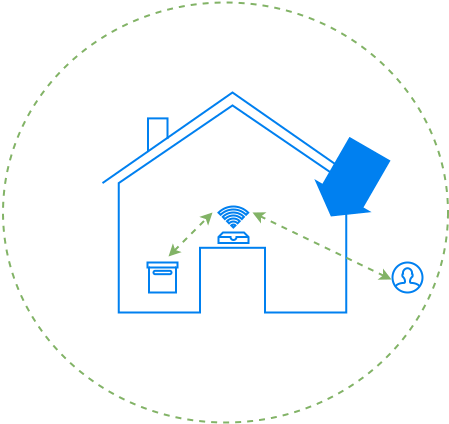
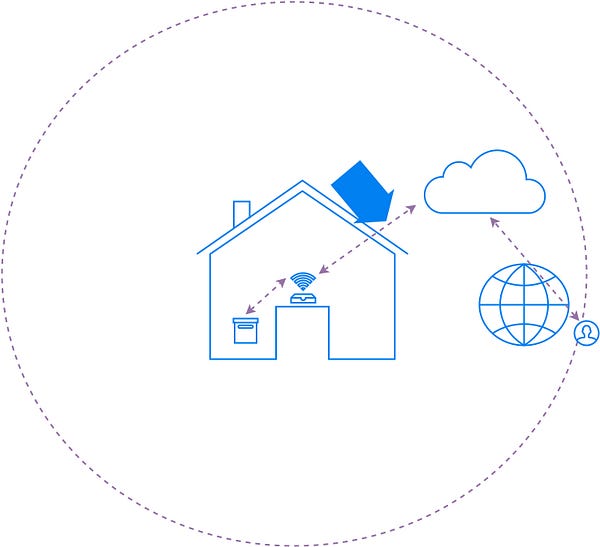
There are a wide variety of smart devices that are being built out there. Let’s look at Wi-Fi enabled devices that are typically deployed in smart homes. Consider this smart device (one the left) part of a smart home.
Most interactions with this device can be categorized into three types:
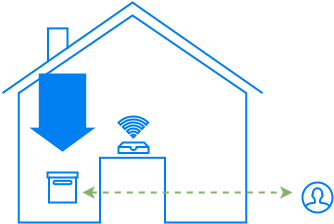
Physical Access:
The first is the physical interactions that the device owner has with
her devices. For this interaction you have to be present in the house
for operating the device.
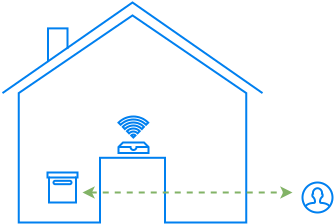
Local Network Access:
The second is the access over the local Wi-Fi network. For this
interaction you can be anywhere in the vicinity of the house in the
Wi-Fi Access Points range.
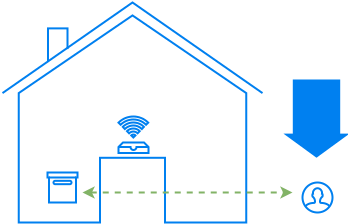
Remote Access:
Finally, most Wi-Fi devices talk to some cloud services. It may be to
facilitate remote access to the owner of the device, or to query other
services (weather, electrical pricing etc.).
Most
attackers would prefer to exploit the remote access model. This allows
them to exploit millions of devices across the world without leaving
your chair. So let’s look at that interaction first.
Remote Access
As
a common pattern of remote access, most connected devices are currently
assuming a network client persona, and communicating with a remote
server over HTTP, MQTT or other such protocol. By not being a server
themselves, for the remote access scenario, these devices avoid having
to re-configure firewalls on home gateways to open up holes for the
incoming accesses.
From the device to the cloud
Let’s
look at the first part of the device interaction from the AP onward to
the cloud (see figure below). There are multiple attacks possible
targeting this communication, like,
man-in-the-middle: snoop your thermostat data from your device to the cloud (Nest), or modify settings from the cloud to the device
replay attacks: if the data is encrypted, replay the same encrypted packet of data that unlocks the door lock of the house
DNS spoofing: divert the traffic of your connected toy to a malicious server
device
spoofing: create a malicious/fake camera, and make the cloud believe
that the camera belongs to you, the owner, and that the video feed is
genuine
But
if you notice, most of these attacks are also applicable to an online
banking transaction. The communication pattern is no different.
Obviously, the right thing to do is to rely on the tried and tested
standards that are used to protect our online banking transactions. This
mechanism is Transport Layer Security (TLS). TLS works at the transport layer, so you can run any higher level protocol, HTTP, MQTT or others, on top of it.
Until
recently, running a TLS stack on micro-controllers wasn’t a
possibility, because of their low compute power and constrained memory.
The latest IoT micro-controller platforms, however, are powerful enough to run the TLS stack. Many lowfootprintTLS
software implementations are also available that can run on these
hardware platforms. The hardware and software capability being now
available, there is no reason not to use TLS for this communication over
any other home-grown security mechanism.
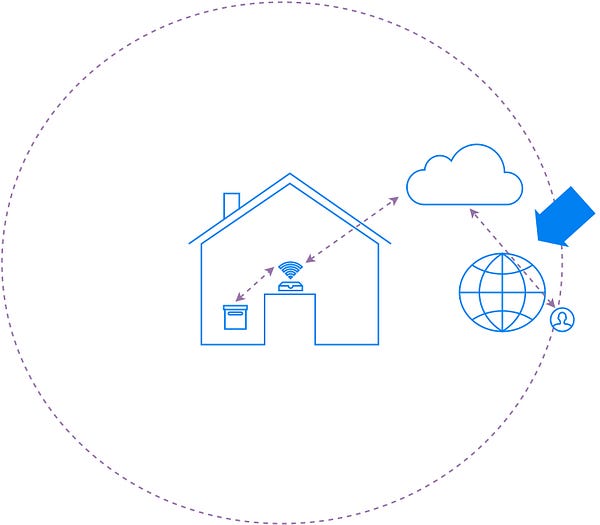
From the cloud to the app
Now
let’s look at the communication from the cloud to the user’s app. This
isn’t directly related IoT per-se, but mostly about following standard
practices for secure web API design. These are the APIs that allow your
smartphones or other devices, to interact with the cloud for querying or
controlling the connected devices in your home.
The entire web API should be exposed over TLS. Additionally, you have to ensure that the user apps are appropriately authenticated with the cloud service, and then they have the proper authorization to access the thing that they are supposed to talk to. Thankfully, there are many IoTcloudplatforms available that provide a higher-level abstraction that already takes care of most of these things.
Through the secure communication channel
The
most common manner in which we get malware installed on our computers
is by accessing sites/files that we aren’t supposed to access.
Connected
devices must communicate with a limited set of known servers. And these
servers should be under the control of trusted parties.
The
other protection that helps is to have a read-only partition that runs
the firmware image. Even if you have to make any changes, it should be
first switch to a read-write mode, and then written to.
While
the above is a short list of the most common attack vectors, there
could be use case specific attack vectors based on interactions with
other elements. These should be also considered and tackled. For
example, say a door lock is unlocked if the phone reaches a certain
location, can the phone be tricked using GPS spoofing?
Those
are some of the common attack vectors and their solutions for the
remote access scenario. In the next part, we will look at possible
attack vectors for local network access and physical access.
Note: Thanks to Pixabay for the shield image in the title